

1What's in the OneBlock template
| Server |  Paper 26.2, build 129 Paper 26.2, build 129 |
|---|---|
| Java | 25 |
| Memory | 3 GB, 2.2 GB of it for Java |
| Rules | Normal difficulty, PvP off, up to 20 players |
| Plugin | Multiverse-Core 5.8.1 · BSD-3-Clause |
| Plugin | OneBlock 1.6.3 · MIT |
| Checked | 28 Sep 2026: created and started on Playkeeper 0.4.2, ready in 13 seconds with every plugin enabled |
2Make the OneBlock world first
OneBlock doesn't make its islands on its own: the plugin's README has an operator create a world with its generator, then mark where the first block goes. In the Console, then in the game:
# In the Console: a world made with OneBlock's generator
mv create OneBlock normal -g Oneblock
# In the game, as an operator, standing in that world
/ob set 500
/ob set 500 puts the first block where you stand and spaces islands 500 blocks apart; without a number they're 100 apart.
3How players start and team up
/obtakes a player to their own island, and a bar shows how far they are through the level./ob invite Alexasks a friend to share the island; they type/ob accept./ob listlvllists the levels, from the first grass block to the End.
4Defaults to look at
From the config OneBlock wrote on the test server:
- Protection is off, so players can walk onto each other's islands.
/ob protection truekeeps them home. - Nobody is sent to the OneBlock world on joining.
/ob autojoin truestarts players on their island as they arrive in it. - Islands are laid out in a circle, and the Nether is allowed. Both are in
plugins/Oneblock/config.yml.
5Open it in one click
Playkeeper runs your server on a VPS you rent. Install it with one command:
curl -fsSL https://playkeeper.io/install | sudo sh
Open the template below
Your dashboard shows Multiverse-Core and OneBlock before anything installs.
Create and start it
It runs in 3 GB: a single block at a time is light work.
Run the two setup commands
Then send friends an invite link and tell them to type /ob.
6The same server by hand, with Docker
# OneBlock: Paper 26.2 on Java 25, 3 GB in all
docker run -d --name oneblock -p 25565:25565 \
  --memory 3G --memory-swap 3G \
  -e EULA=TRUE -e TYPE=PAPER -e VERSION=26.2 -e MEMORY=2304M -e USE_AIKAR_FLAGS=TRUE \
  -e DIFFICULTY=normal -e PVP=false -e MAX_PLAYERS=20 \
  -e MODRINTH_PROJECTS=multiverse-core,oneblock_bukkit \
  -v oneblock-data:/data itzg/minecraft-server:java25
Open TCP 25565 in your provider's firewall.
Questions
What's the best OneBlock plugin?
OneBlock by MrMarL is the most downloaded on Modrinth, with 243,456 downloads, and open source under MIT. Version 1.6.3 started cleanly on Paper 26.2 in our check.
Why does OneBlock need Multiverse-Core?
To create the world its islands live in, with OneBlock's own generator: mv create OneBlock normal -g Oneblock.
Can friends play on one island?
Yes: /ob invite, then /ob accept on their side.
Is OneBlock the same as skyblock?
Both start you in the void. Skyblock gives you a small island; OneBlock gives you one block that keeps turning into new ones.
Open it in your dashboard
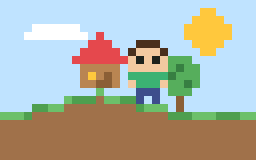
OneBlock
Paper · Minecraft 26.2 · 3 GBPaper · 3 GB
Multiverse-Core and OneBlock
Open in my dashboardOpen the OneBlock template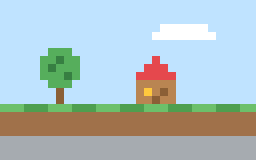
Skyblock
Paper · Minecraft 26.2 · 4 GBPaper · 4 GB
VaultUnlocked, WorldEdit and Iridium Skyblock
Open in my dashboardOpen the Skyblock template